
Grow Your Business with WhatsApp Business API
Connect with customers, automate messages, and turn more conversations into sales with TrustSignal’s WhatsApp Business API.

Schedule a Personalized Demo
Trusted by brands
Convert More with WhatsApp
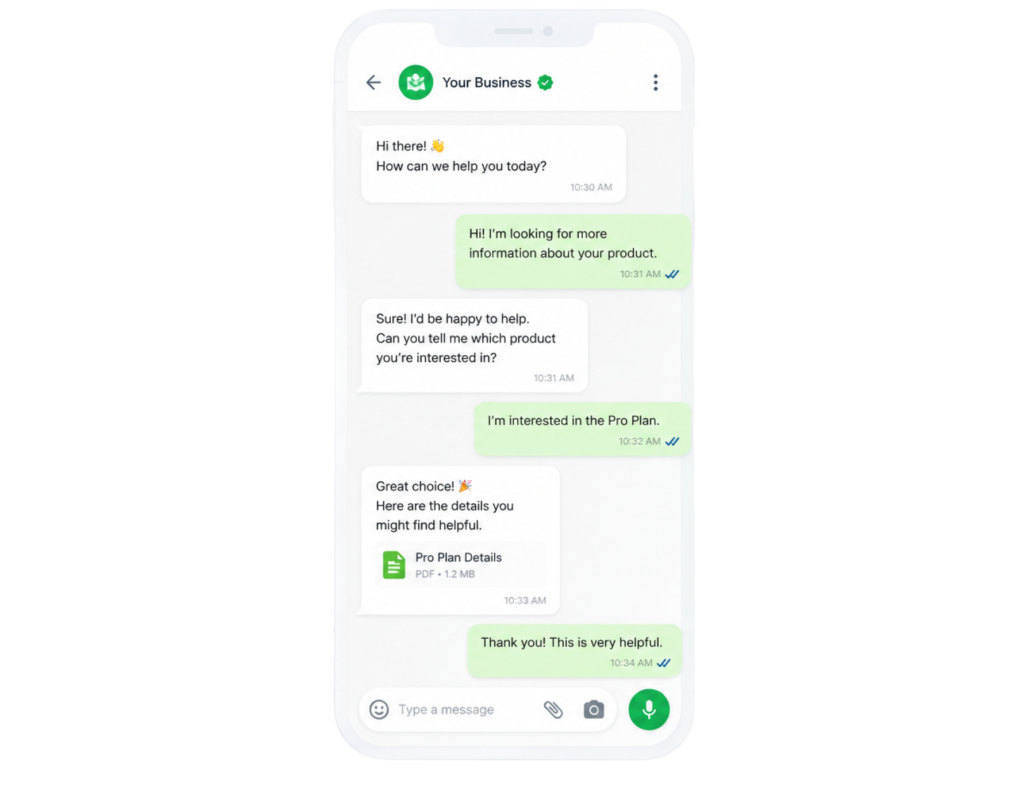
Instant Replies. Better Experiences.
Delight customers with fast, intelligent, and personalized WhatsApp conversations powered by AI.
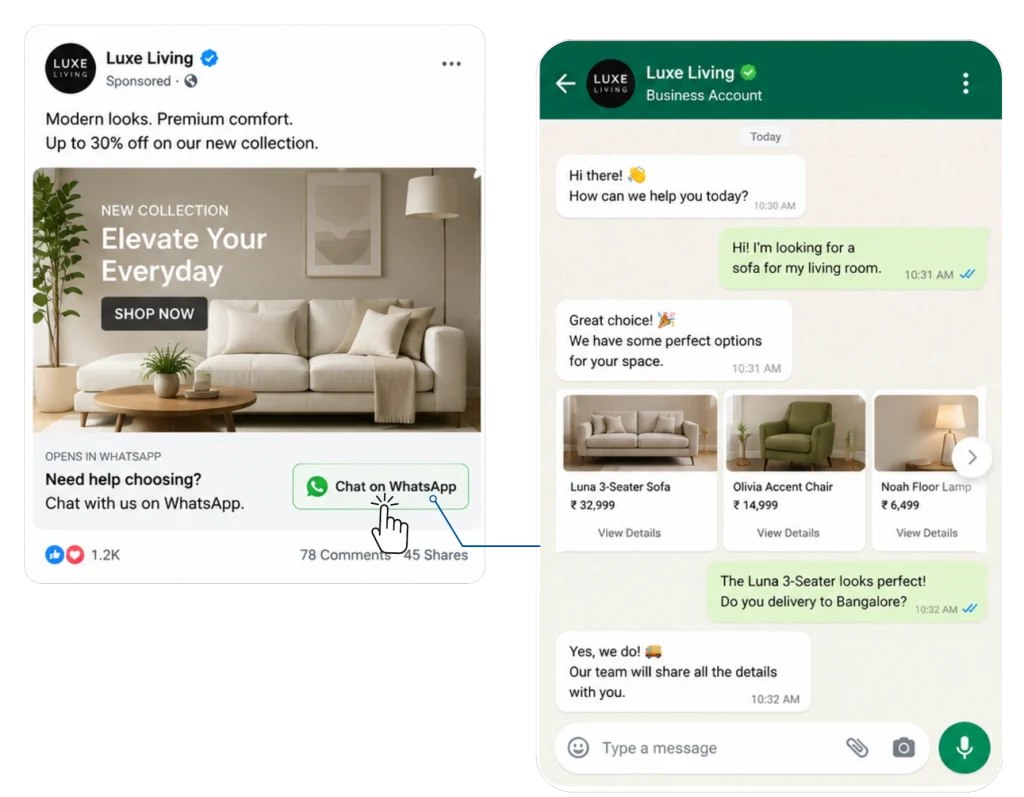
Turn Clicks Into Conversations
Convert ad traffic into instant WhatsApp chats that generate qualified leads and faster conversions.
Capture, Convert & Engage With WhatsApp Business API
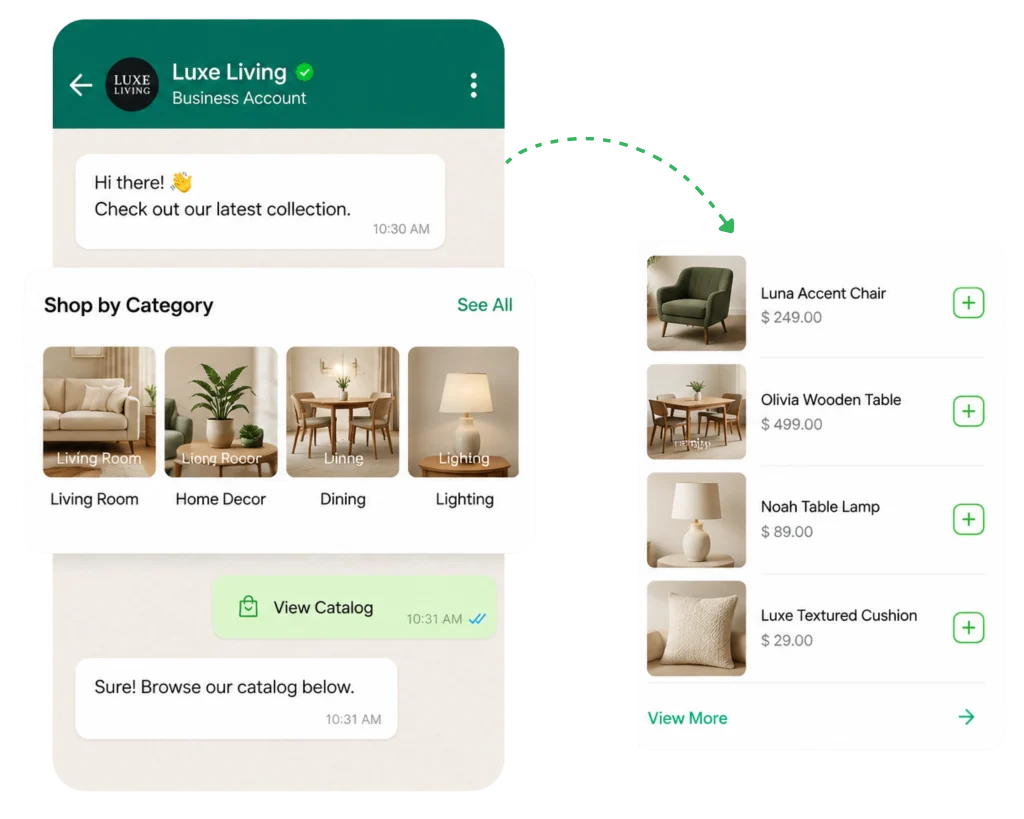
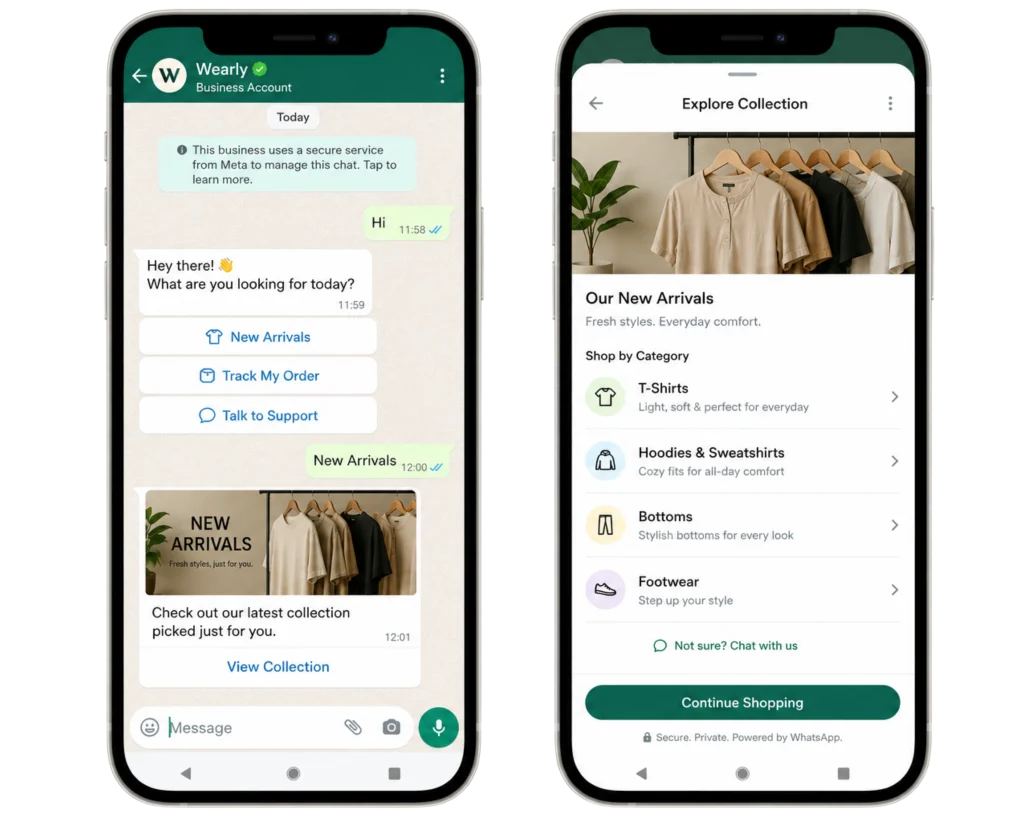
Turn WhatsApp into your digital storefront
- Display Your Products
- Reduce Purchase Journey by 50%
- Increase Product Engagement by Up to 70%
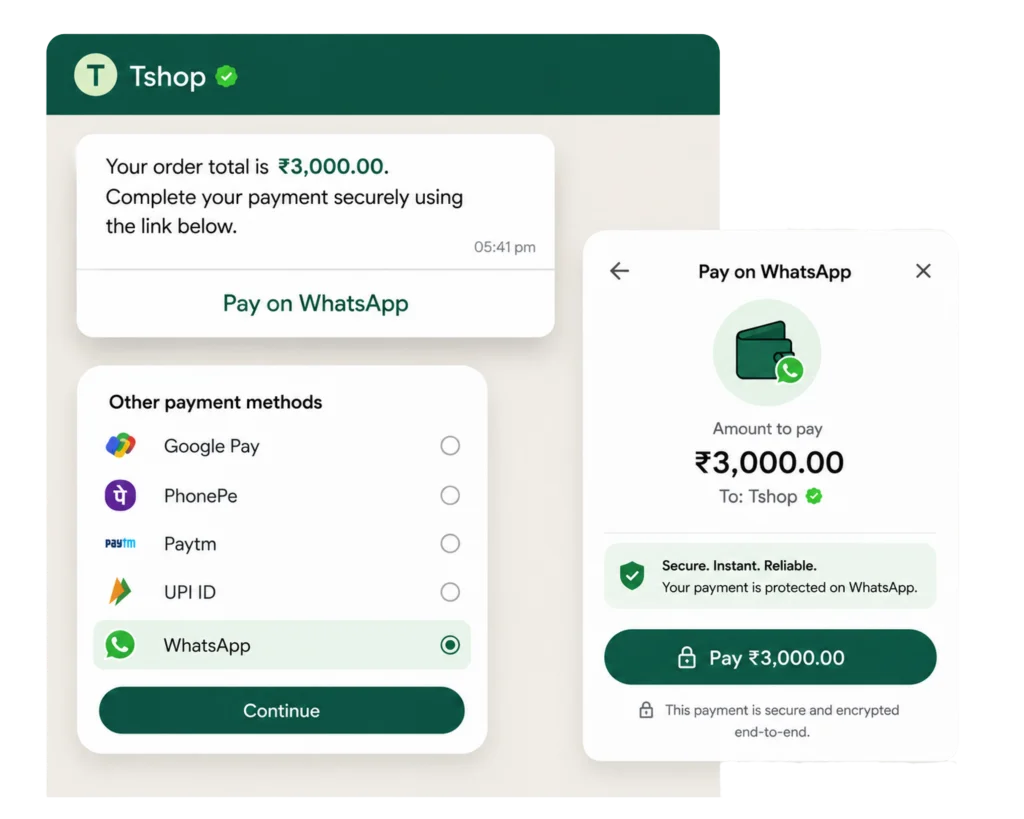
Collect Payments Without Leaving WhatsApp
- Faster Checkouts, Higher Conversions
- Secure Payment Collection
- Instant Payment Confirmations
Reach Thousands of Customers with a Single Broadcast
- 98% Message Open Rates
- Up to 60% Click-Through Rates
- Schedule Campaigns Months in Advance
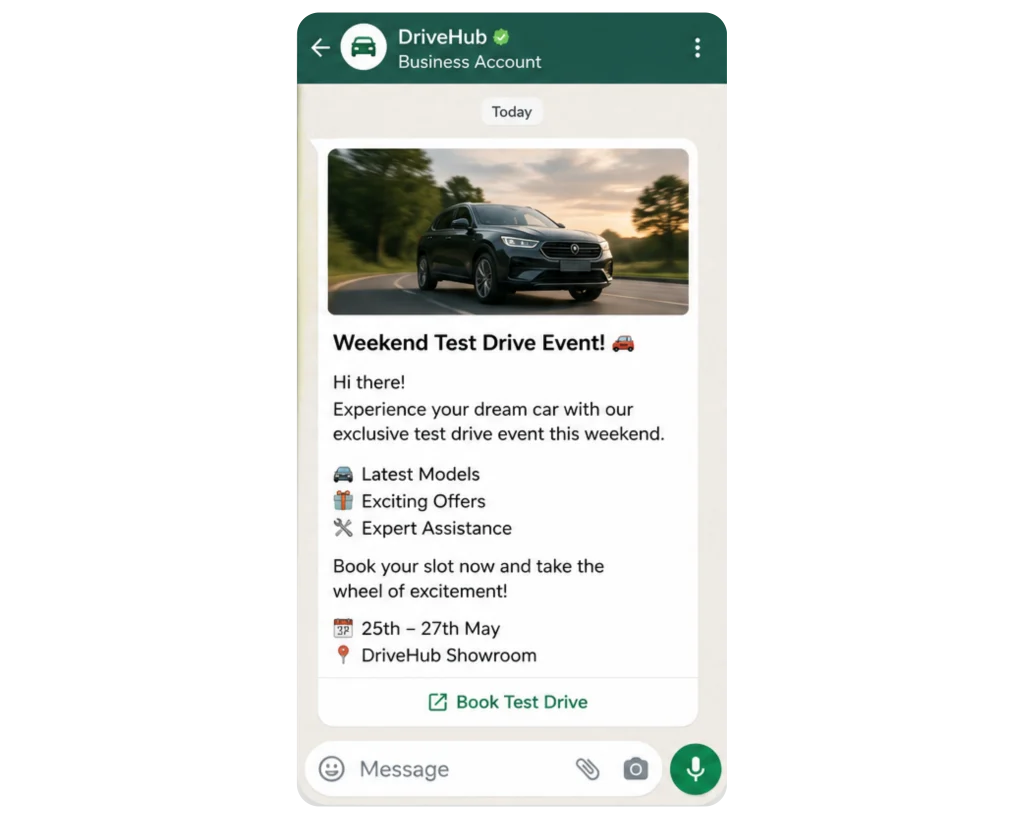
Create Interactive Customer Journeys That Convert
- Increase Form Completion Rates by Up to 2X
- Capture Leads in Minutes
- Automate Customer Journeys 24/7
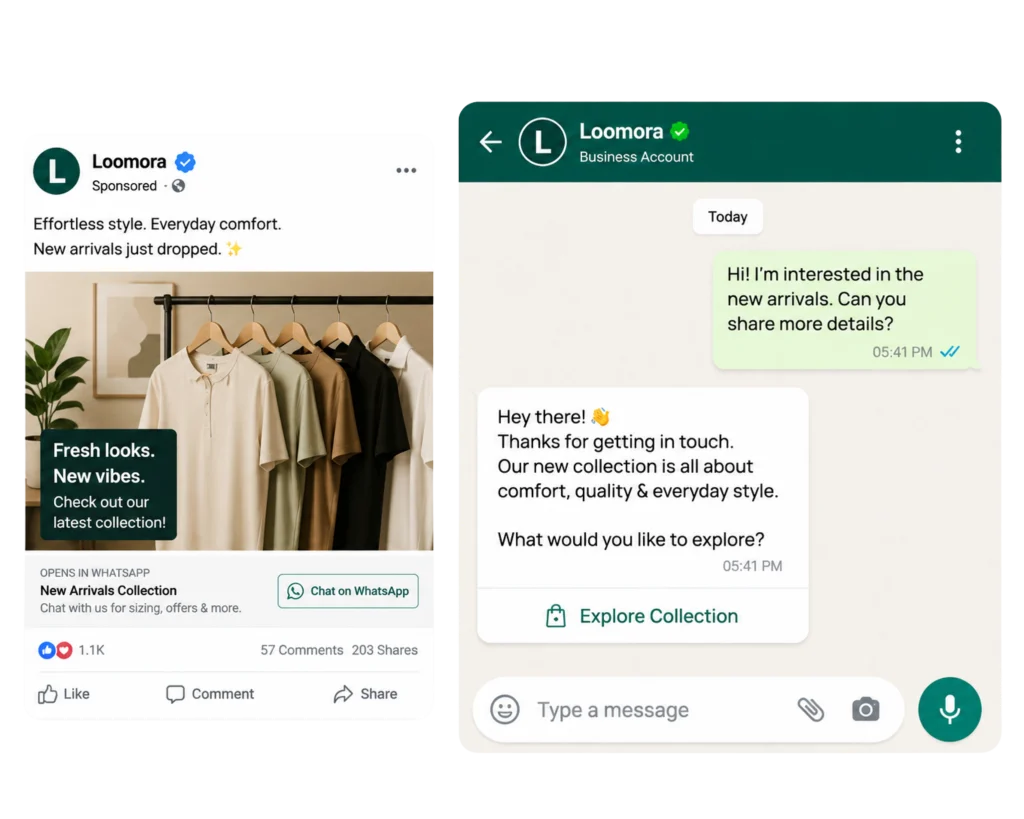
Convert Ad Clicks into High-Intent WhatsApp Conversations
- Generate Up to 3X More Qualified Leads
- Respond in Under 60 Seconds
- Improve Conversion Rates by Up to 40%
Frequently Asked Questions
What is WhatsApp Business API and how does it work?
WhatsApp Business API is a business messaging solution that enables companies to communicate with customers at scale through WhatsApp. It supports automated notifications, approved message templates, customer conversations, and integrations with CRM and other business tools. Platforms such as TrustSignal help businesses use WhatsApp Business API to manage customer communication and build automated messaging workflows for different business needs.
Can I send bulk WhatsApp messages using WhatsApp Business API?
Yes, businesses can send WhatsApp messages to multiple customers using WhatsApp Business API, provided they follow Meta’s messaging policies, customer opt-in requirements, template rules, and applicable messaging limits. Common use cases include promotional campaigns, product announcements, offers, and transactional updates. Businesses using platforms such as TrustSignal can manage WhatsApp communication as part of their broader messaging strategy, with audience targeting and campaign planning helping make messages more relevant to recipients.
What is the difference between WhatsApp Business and WhatsApp Business API?
WhatsApp Business is a standalone app for small businesses, whereas WhatsApp Business API is designed for medium to large enterprises, offering more extensive features and integration options.
What Are WhatsApp Message Templates and What Are Their Types?
WhatsApp message templates are predefined message formats that businesses submit to Meta for approval before using them in applicable business-initiated conversations. They are commonly used for marketing campaigns, utility notifications, and authentication messages such as OTPs. Outside the applicable 24-hour customer service window, businesses generally need an approved template to initiate a conversation.
WhatsApp message templates are divided into three main categories:
- Marketing Templates: Used to promote products or services, announce offers, share product recommendations, and send promotional campaigns to customers.
- Utility Templates: Used to send transactional and service-related updates, such as order confirmations, shipping notifications, appointment reminders, and payment updates.
- Authentication Templates: Used to verify users through one-time passwords (OTPs) for activities such as login verification, account registration, and identity confirmation.
As an official Meta Business Partner, TrustSignal helps businesses streamline WhatsApp Business messaging and manage customer communications through its CPaaS solutions. Businesses should ensure their templates comply with Meta’s latest policies, use the correct category, and accurately reflect the purpose of each message. Meta may review and reclassify templates based on their content and intended use.
How do I get started with WhatsApp Business API for my company?
To get started, a business generally needs a Meta business portfolio, an eligible phone number, and access to the WhatsApp Business Platform. The process typically involves setting up the business account, registering the number, completing applicable verification steps, and configuring messaging capabilities. Businesses can also work with a provider such as TrustSignal to understand the onboarding process, integration requirements, and messaging setup suited to their communication needs.